Product tour
See it for yourself.
From staff app to manager dashboard — this is what HorecaRooster looks like in practice.
For your team: everything in their pocket
Staff manage their availability, view their schedule, and submit swap requests — directly from the app.
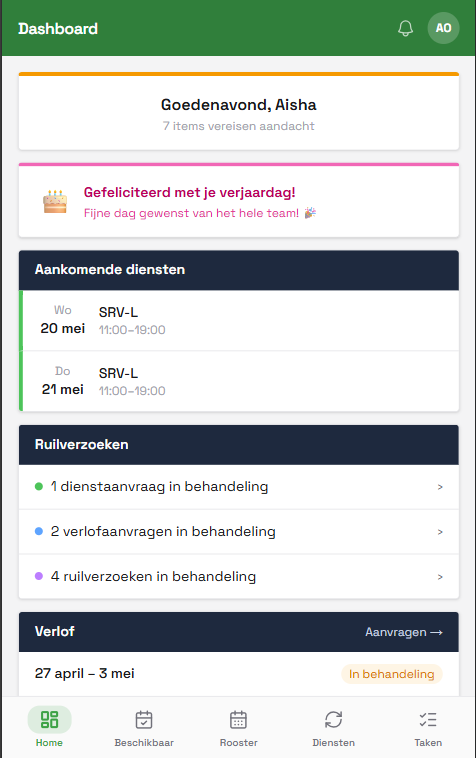
Dashboard
Upcoming shifts, pending requests and notifications in one overview.
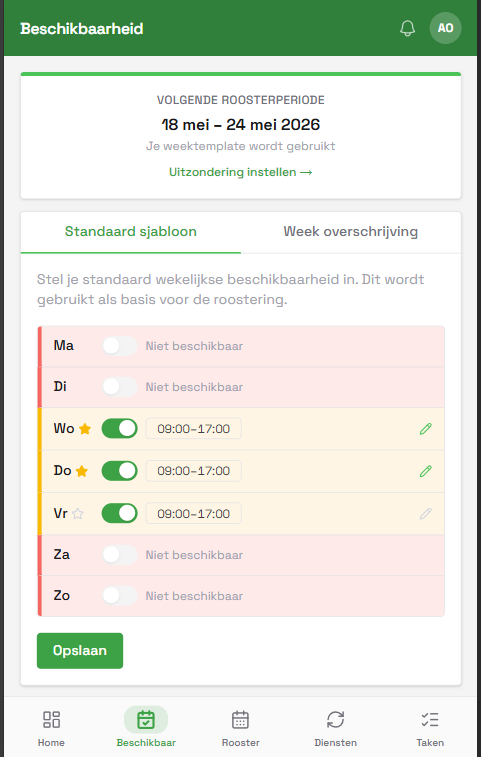
Availability
Weekly template plus day-specific overrides.
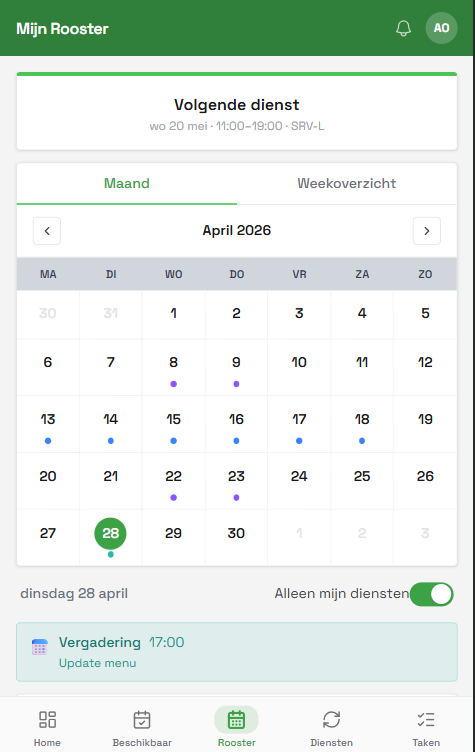
Schedule
Month and week view of the full team schedule.
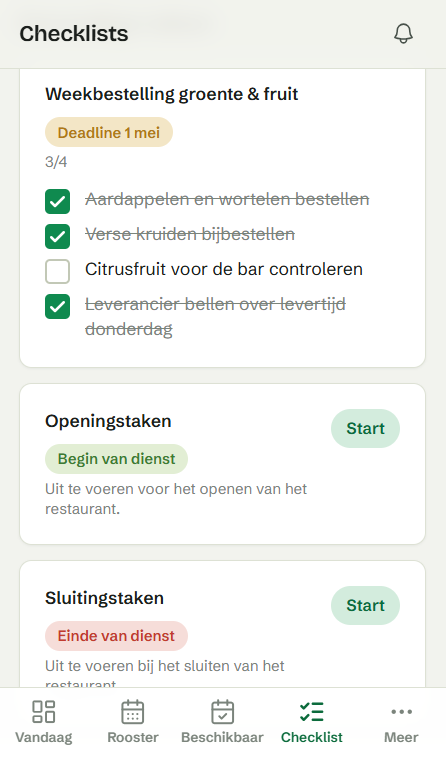
Checklist
Check off recurring tasks, tracked per employee.
Manager dashboard
Your schedule. Fully in control.
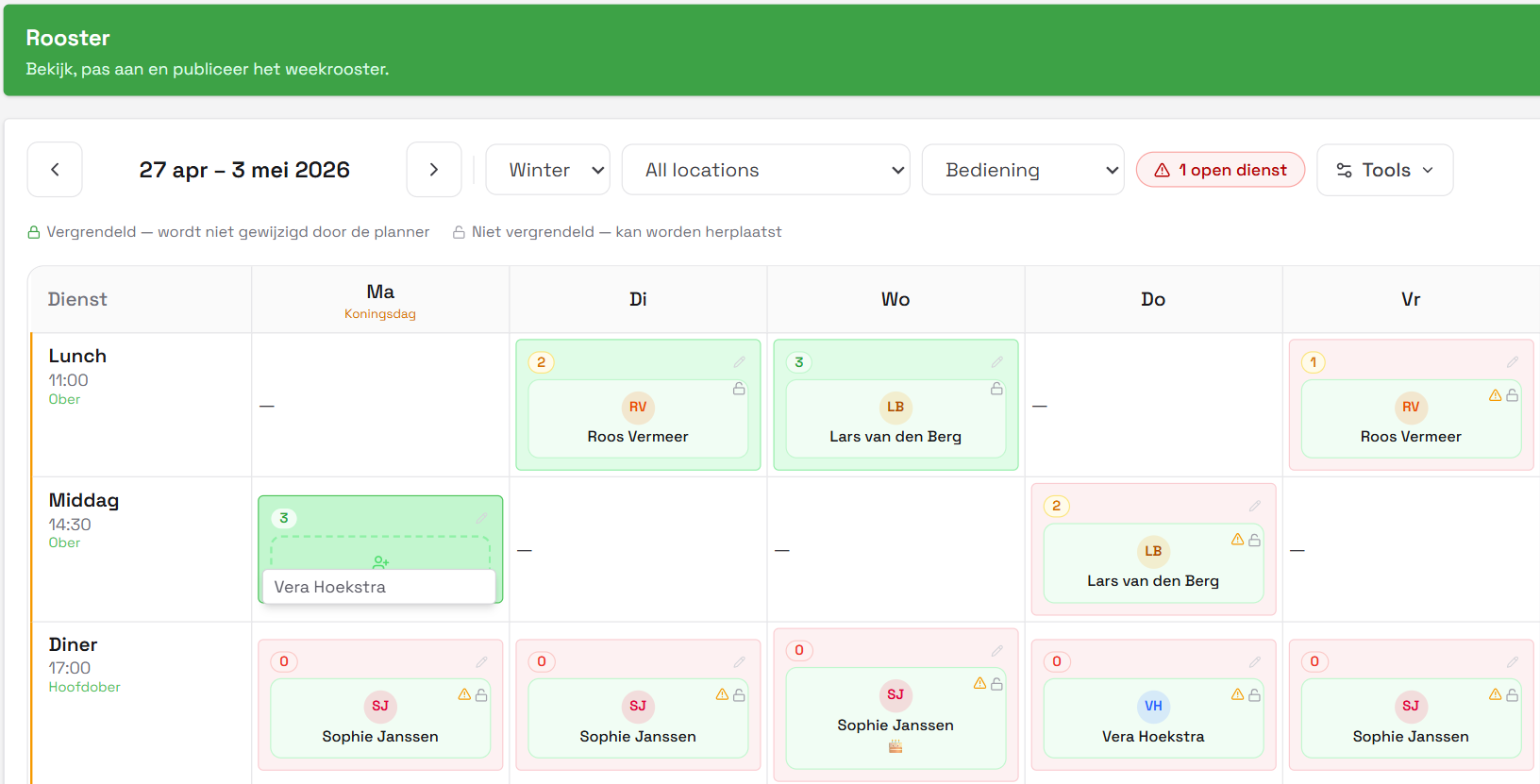
The schedule planner gives you a complete weekly overview per department. Drag staff onto shifts, see who's available, and publish with one click.
- Color-coded by department — Bar, Kitchen, Service
- Available staff visible directly below the schedule grid
- Live cost, hours, and coverage tracked in the footer
- Locked shifts are never changed by the auto-planner
Employees
Your whole team.
One overview.
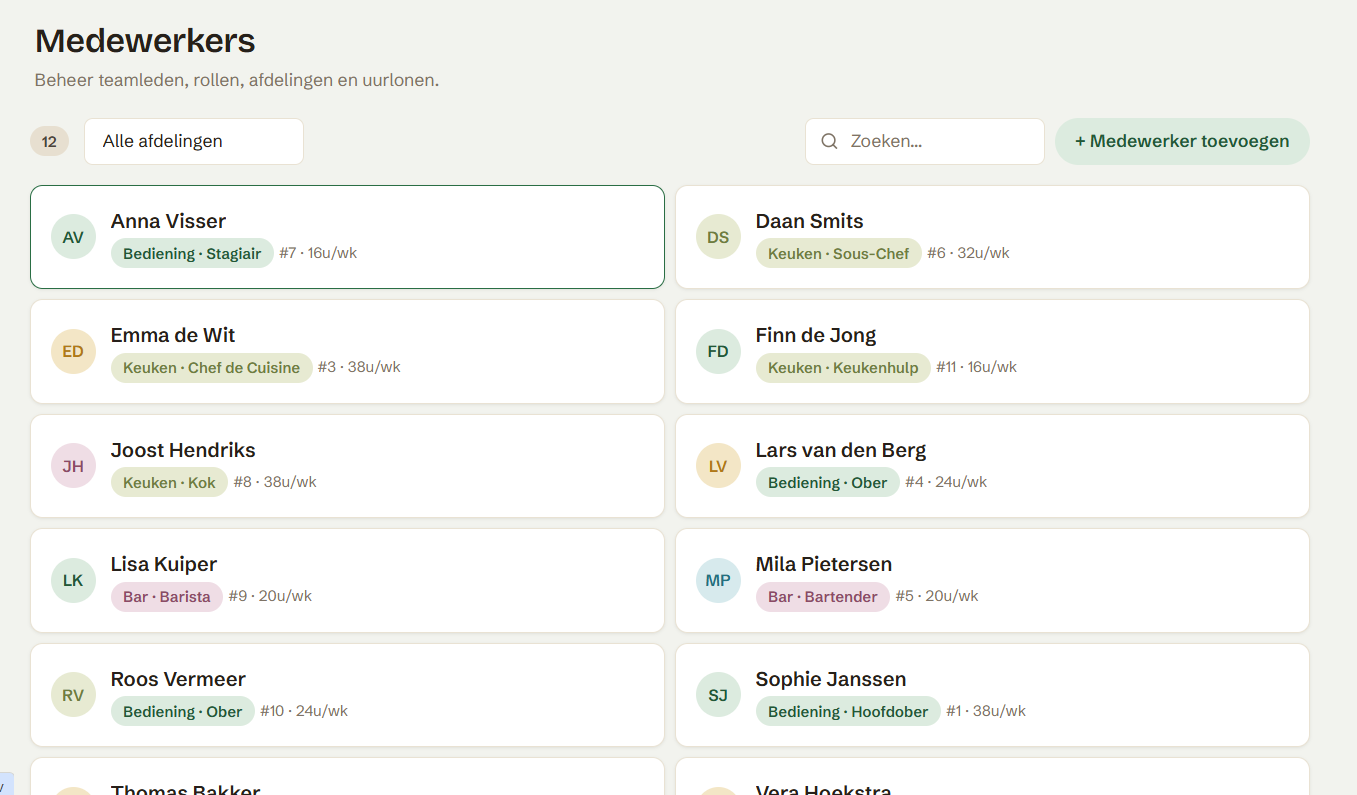
Name, department, role and contract hours for everyone in one place. Search by name or filter by department to find who you're looking for in seconds.
- Contract hours and hourly wage per employee at a glance
- Link employees to multiple departments and roles
- Add a new employee in one click
Dashboard
Everything at a glance.
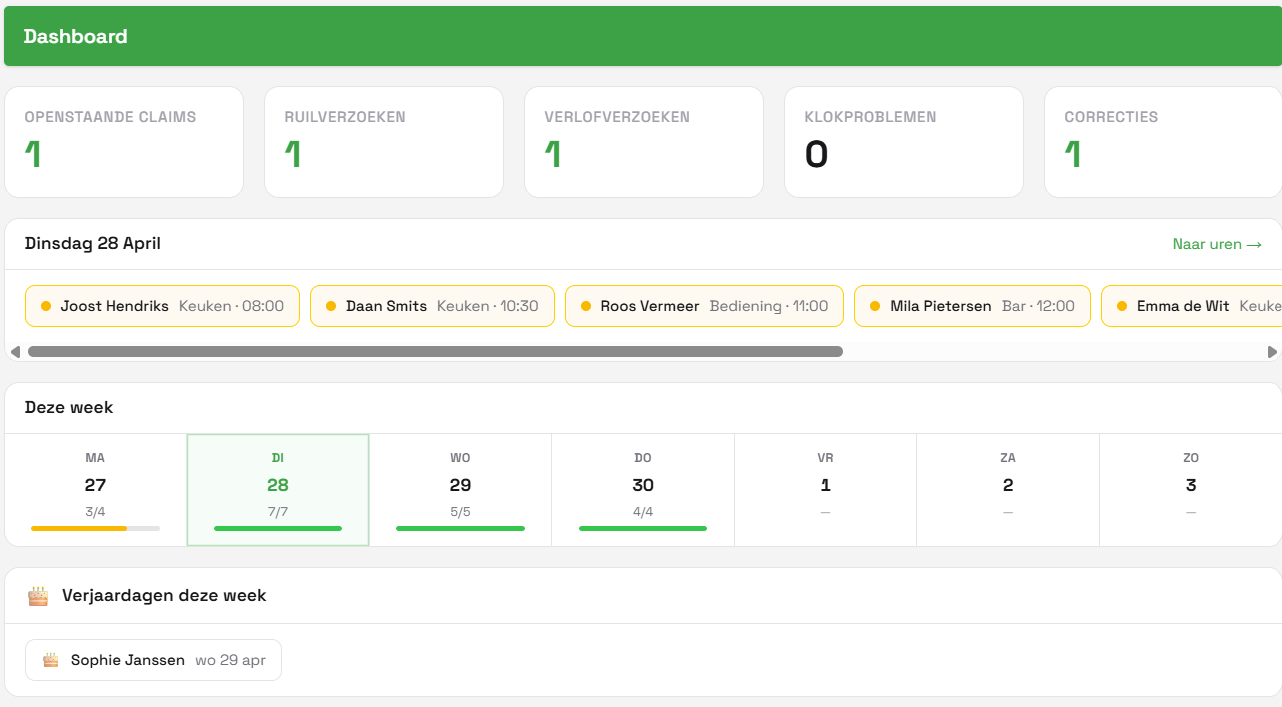
See at a glance how many pending actions there are, who's working today, and daily coverage for the week. Staff birthdays are shown too.
- Pending claims, swap requests and corrections at the top
- Clock-in overview per day with departments
- Weekly coverage shown as a bar per day
Hours & Corrections
Hours that add up.
Every time.
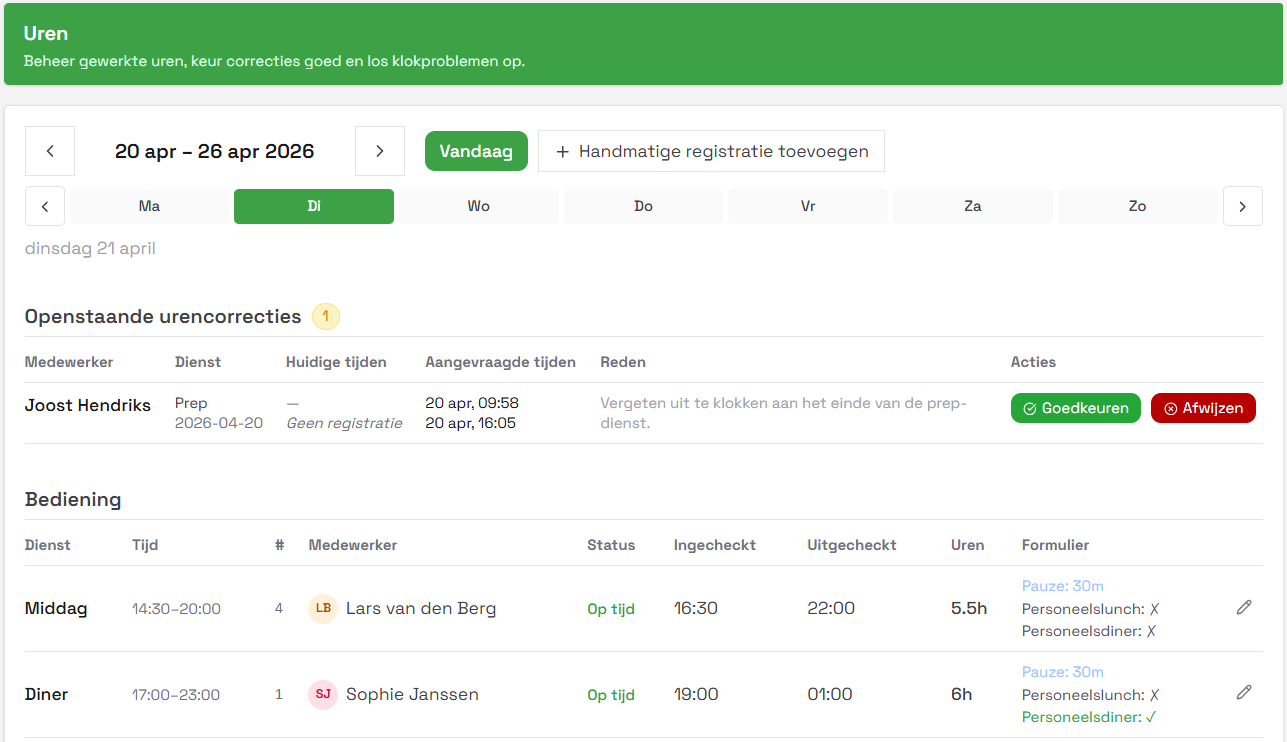
Manage worked hours per day and department. Staff can submit correction requests if they forgot to clock in or out — you approve or decline with one click.
- Pending corrections shown at the top per day
- Clock-in and clock-out times per employee
- Break, staff lunch and dinner tracked automatically
Reports
Insight into your labour costs.
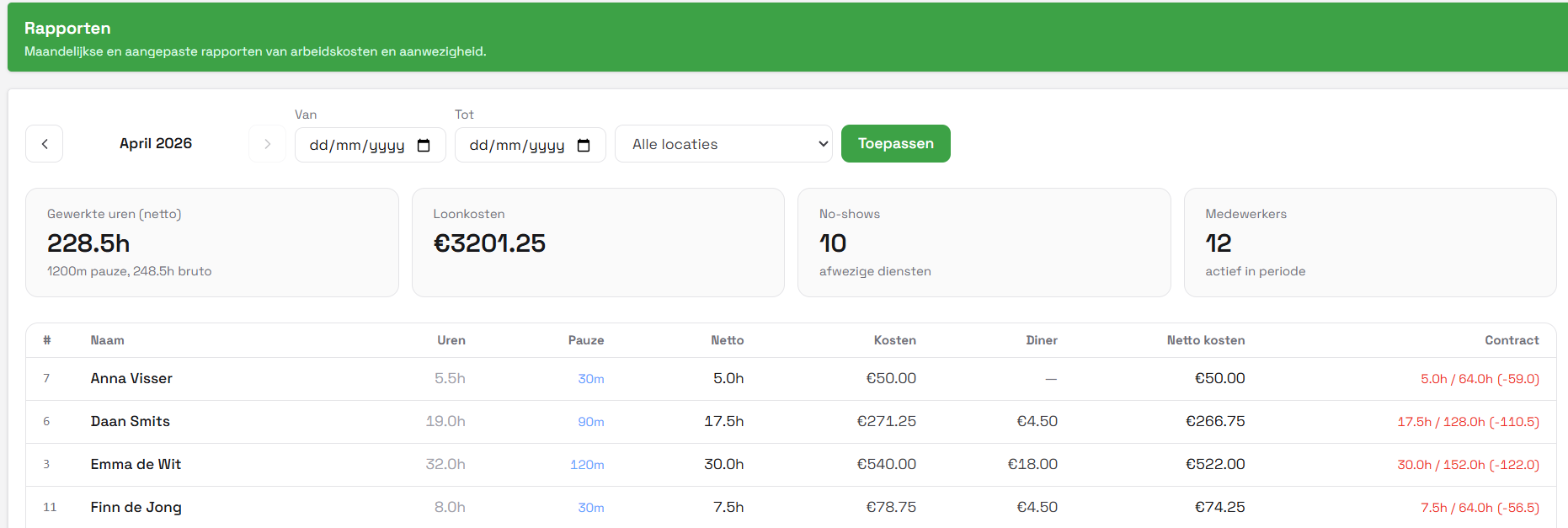
View monthly or custom reports of labour costs, net hours, and no-shows per employee. Filter by location and export for your administration.
- Total hours, break and net hours per employee
- Labour costs including staff dinner deductions
- No-shows and contract deviations immediately visible
Requests without the messaging
Staff submit everything through the app. You approve with one click.
Swap Requests
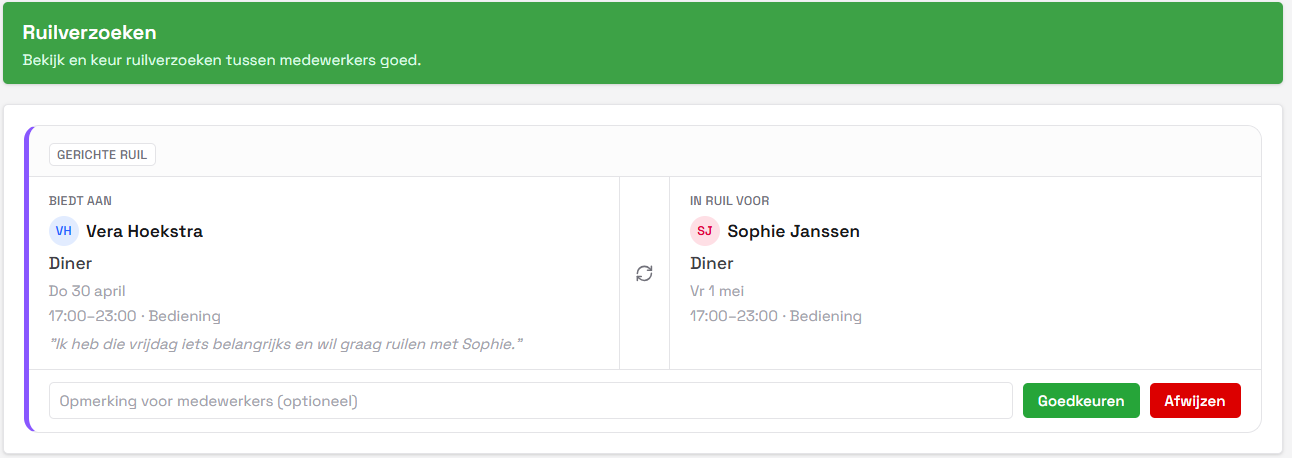
Staff request shift swaps between each other. You see both sides, add a note if needed, and approve or decline.
Ready to try it yourself?
Start today — your team set up in 15 minutes, your first schedule generated the same day.